 Scoreflection
A piano app that listens to you play
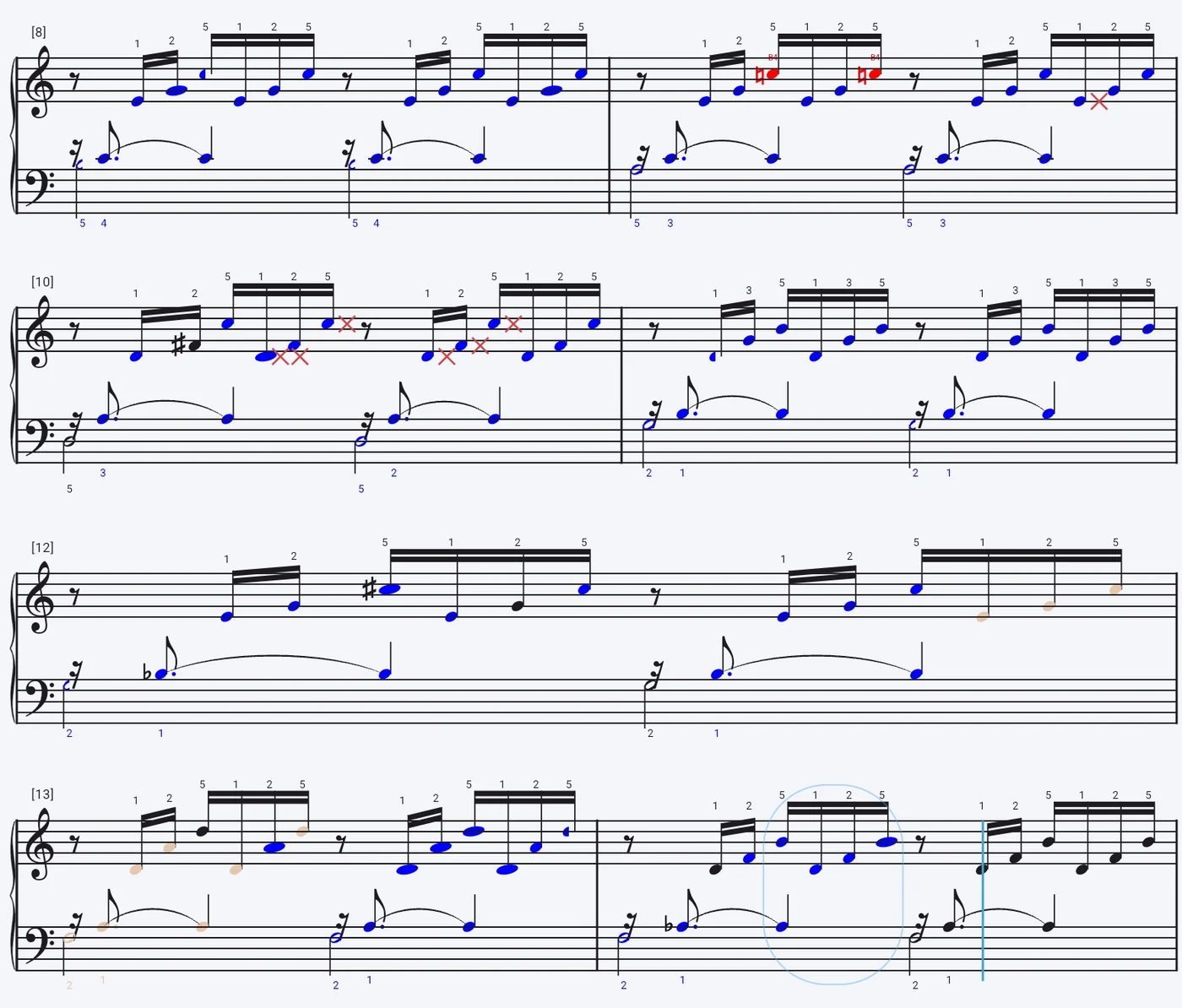
Open a score, put the phone on the music stand and play. Scoreflection hears both hands and every chord, keeps its place in the score bar by bar, and marks each notehead on the page you were reading: correct, wrong, missed, too short or too long. The listening runs on the phone itself — no audio is uploaded.
It is built for pianists who already have music they want to learn: your own scores in MusicXML, MXL, MNX or LilyPond, or the public-domain pieces in the community library. Piano is one of the two instrument families Scoreflection supports today, which means its listener has been measured against real recordings of people playing.
Both hands, and every chord
Most practice apps listen for one pitch at a time. Scoreflection runs a polyphonic transcription model, so a chord comes back as the notes in it and the left hand is heard alongside the right. It gets about 95% of note attacks right. Octave slips are recognised for what they are, and the piano's own overtones are discarded before anything is counted against you. How the grading works.
To practise hands separately, turn on one-hand practice: the other hand plays as accompaniment with a count-in, and only the hand you chose is graded, so the notes you are deliberately leaving out are not marked as missed.
Acoustic piano or digital piano
On an acoustic piano the phone's microphone is enough — no interface, no pickup. The model was built for real rooms, but getting the phone closer to the instrument helps more than anything else (noisy rooms).
A digital piano or MIDI keyboard can be connected over USB instead. The app then reads the notes the keyboard sends, which takes the room out of the equation entirely, and where the listener starts automatically it prefers a connected MIDI instrument to the microphone.
Made for real piano scores
- Repeats and road maps. First and second endings and a D.C. al fine are followed, and when you start a bar over, the follower finds you again instead of marking everything after it wrong.
- Pedalling. Where a score writes Ped. once and then simile, the app asks how far that continues and how you want to retake it. More on pedal marks.
- One passage at a time. Loop the four bars that keep going wrong; playback and listening both stay inside them.
- Hear the other hand quieter. Every voice has its own volume and sound, or no sound at all — the notes still count when you are graded.
- How hard is it? Every score gets a difficulty grade from 1 to 9, and a practice plan can schedule your pieces around the minutes you have.
- As strict as you like. Note lengths are graded at one of four strictness levels, from Beginner to Professional, or thresholds you set yourself.
Who it is not for
Scoreflection has no beginner course. If you want to be taught piano from the very first note, a course app is the better start — the comparison with other piano apps says which ones and what each of them does.
What is free, and what needs an account
Reading costs nothing and needs no account: the score library, importing, playback with the metronome, the tuner, and the two games that don't listen — interval training and rhythm echo. Being listened to and graded is the Practice plan. The subscription is tied to an account, so for that you need to be signed in; the listening itself still runs on the phone. Which parts need an account.
More piano questions
- Do I need a MIDI instrument, or is a microphone enough?
- It marked a note wrong that I am sure I played. Why?
- Some notes are marked pale rather than wrong. What does that mean?
- It says I played the right note in the wrong octave. Why?
- Is a tablet better than a phone for this?
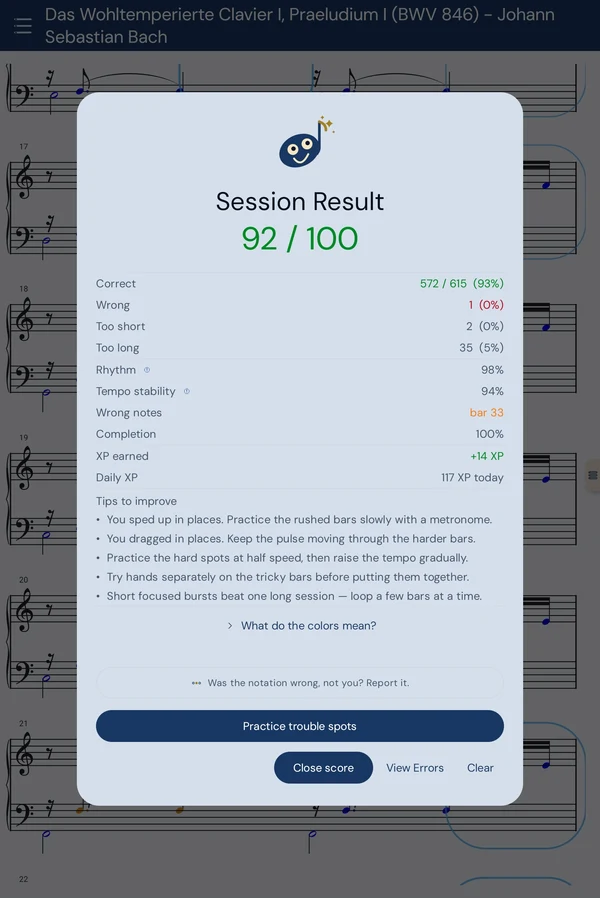
- What do I get at the end of a session?